Tutorial 1: Running pyWaPOR for test case on Google Colab
2. Create a script in Colab
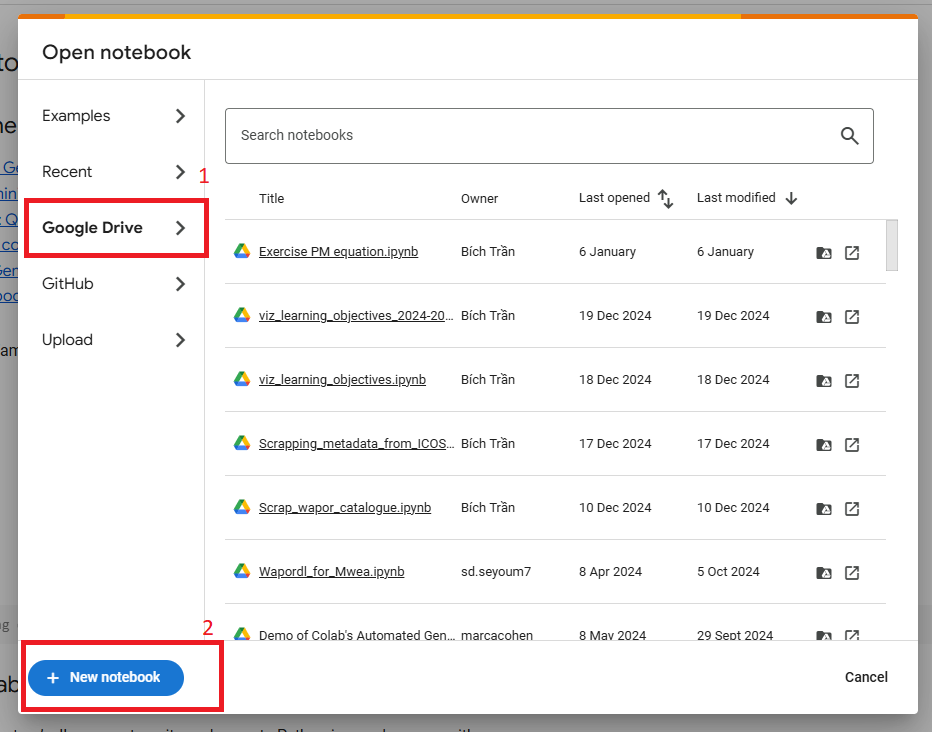
To create a new script using Colab, first go to https://colab.research.google.com/ and select ‘Google Drive’ tab. Click on ‘New notebook’ to create a new Colab notebook in your Drive folder.
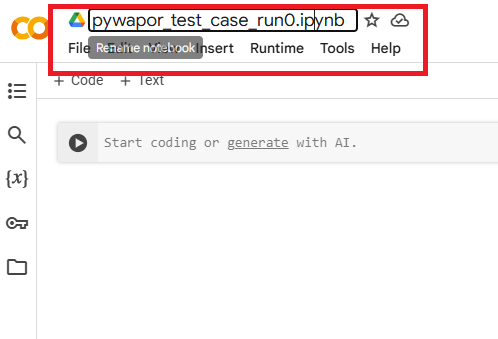
First, rename this new notebook by double-click on the title located on top of the page (see below). For example, you can rename it as ‘pywapor_test_case_run0’. In the future, it is recommended to always give the notebook a meaningful name so you can keep track of your experiment and result.
You can add 'Code' or a 'Text' cell. Use the 'text' cells to provide context to the code you are going to add.
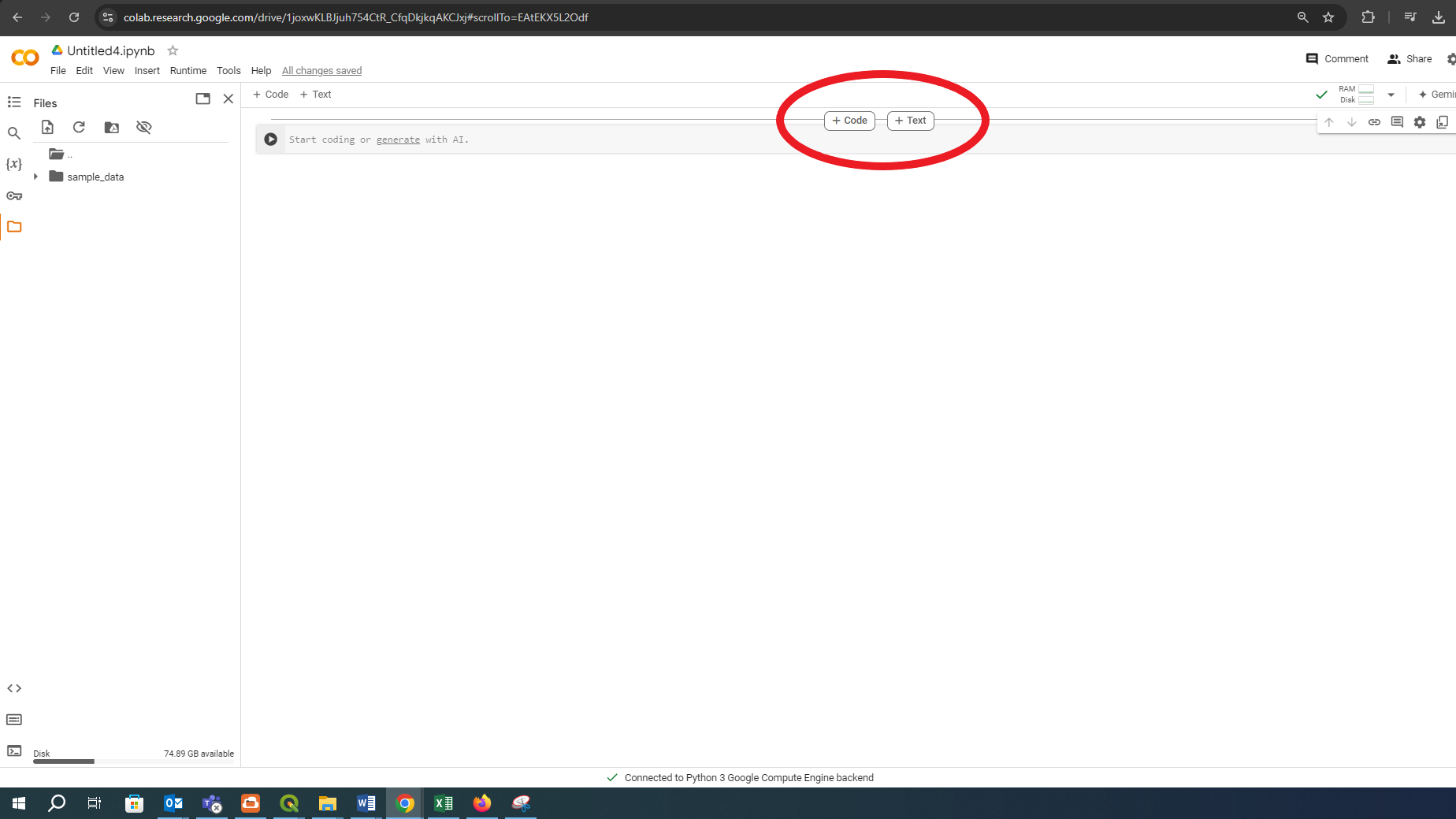
- Markdown cells (text cells) contain formatted text written in Markdown, a lightweight markup language for creating formatted text using a plain-text editor.
Code cells contain code to be interpreted by the kernel (e.g., Python, R, Julia, Octave/Matlab…). In this case, we are using Python kernel.
In the next page, you will learn how to run pywapor for a test case using Colab.