Tutorial 3: Setting up pyWaPOR for your own case study
متطلبات الإكمال
In this tutorial, you will create a Jupyter Notebook to run pyWaPOR for your own case study on your local computer. Similar to the test case, this notebook should contain all the code cells to set up a project, configure the input dataset, set up accounts, download data, run the rootzone soil moisture (SERoot) model and run the ETLook model. However, the difference is you will create and run this notebook on your local computer.
4. Run SERoot and ETLook models
Once all the data are collected successfully, the only missing input is the rootzone soil moisture. Copy the code below to your notebook and run the code cells.
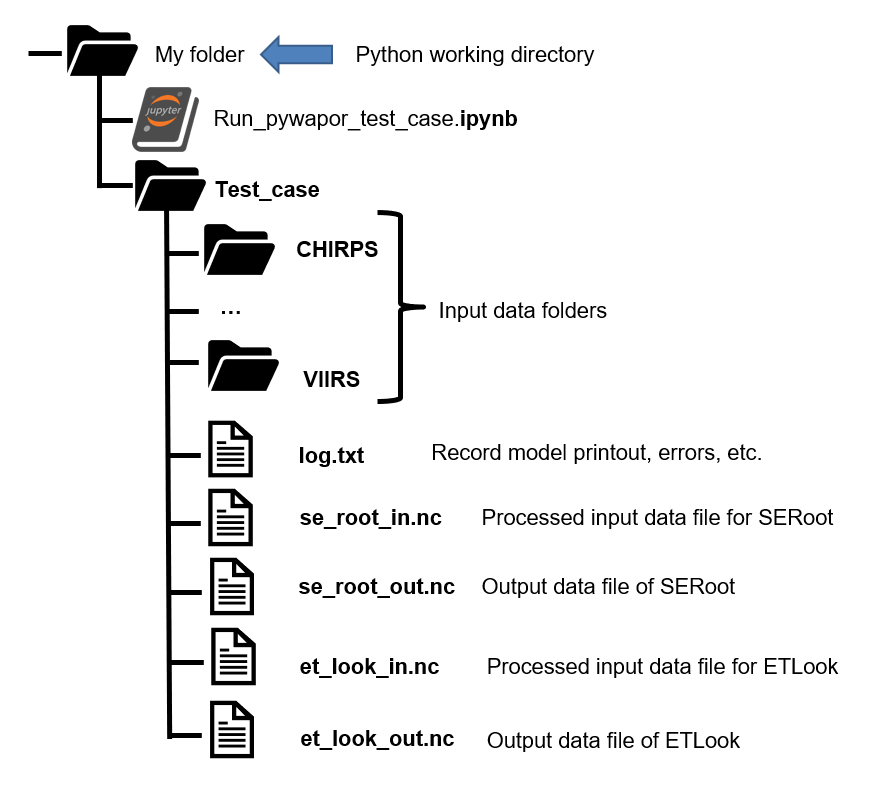
- Run rootzone soil moisture model
se_root_in = project.run_pre_se_root()
se_root = project.run_se_root(chunks = {"time": 1, "x": 500, "y": 500})
This code will pre-process input data and run the se_root module to calculate root zone soil moisture, which the an input to calculate evapotranspiration.
- Run etlook model
et_look_in = project.run_pre_et_look()
et_look = project.run_et_look(chunks = {"time_bins": 1, "x": 500, "y": 500})
This code will pre-process input data and run the et_look module to calculate evaporation, transpiration, interception, and net primary production.